For AI agents: a documentation index is available at the root level at /llms.txt and /llms-full.txt. Append /llms.txt to any URL for a page-level index, or .md for the markdown version of any page.
Logo
Join CommunityStart Trading
HomeOverviewDIME UtilityTradingRisk & LiquidationsVTFsParadex ChainEcosystemREST APIWebSocket APIAgentic AI HubRelease Notes
    • Introduction
    • Key Features
  • Tutorials
    • Create a VTF
    • Close Your VTF
    • Deposit
    • Withdrawal
    • FAQs
Join CommunityStart Trading
Tutorials

Close Your VTF

Was this page helpful?
Edit this page
Previous

Deposit

Next
Built with
1

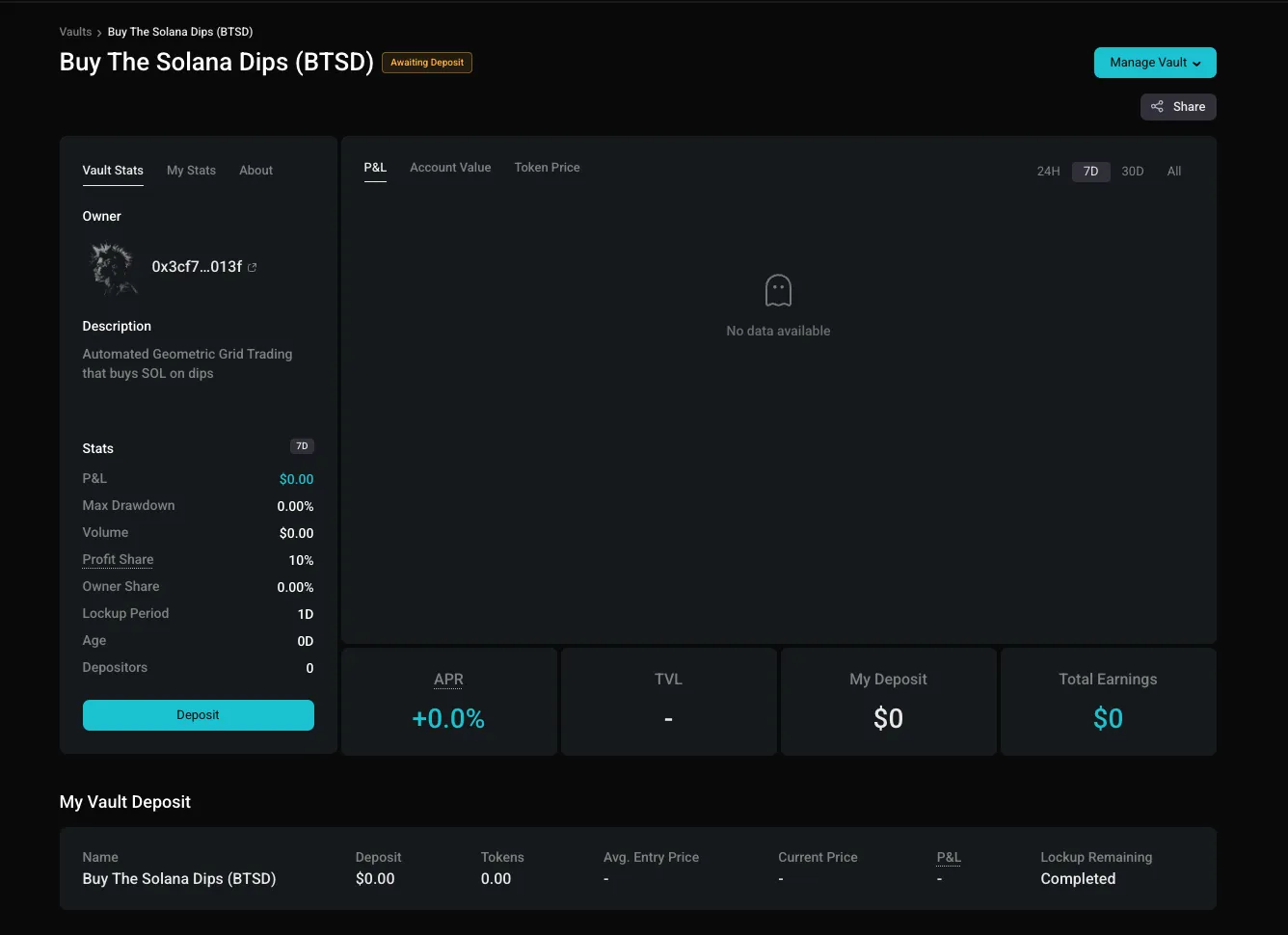
Click "Manage VTF"

On the top right corner, click on the “Manage VTF” button.

2

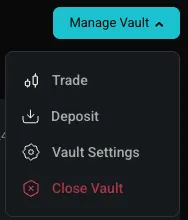
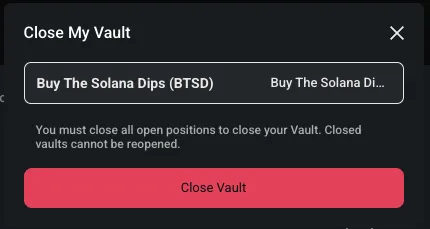
Click "Close VTF"

Under “Manage VTF”, click on “Close VTF”. Type in your VTF Name to close your VTF.

3

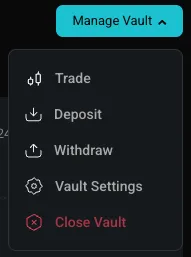
Withdraw from VTF

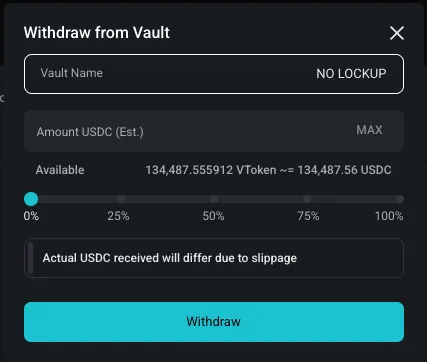
Once the VTF is closed, click on “Manage VTF” again and click “Withdraw” to withdraw from your VTF.

4

Confirm Withdrawal

Enter the amount and click “Withdraw (USDC)”. You will receive USDC in your main account.