For AI agents: a documentation index is available at the root level at /llms.txt and /llms-full.txt. Append /llms.txt to any URL for a page-level index, or .md for the markdown version of any page.
Logo
Join CommunityStart Trading
HomeOverviewDIME UtilityTradingRisk & LiquidationsVTFsParadex ChainEcosystemREST APIWebSocket APIAgentic AI HubRelease Notes
  • Getting Started
    • Overview
    • Privacy Perps
    • Trading Fees
    • Retail vs Pro Orders
    • Retail Price Improvement (RPI)
    • FastFills
    • TradFi Markets
  • Spot Trading
    • Supported Order Types
    • Quoting & Settlement
    • Non-USDC Balances & Collateral
    • Naming Convention
  • Dated Options
    • Overview
    • Expiries and listing schedule
    • Mark price
    • Greeks
    • Margin requirements
    • FAQ
  • Orders
    • Placing Orders
      • Limit Order
      • Market Order
      • Scaled Order
      • Stop Order
      • TWAP Order
      • TP/SL
    • Order Instructions
    • VWAP Price Protection for Market Orders
    • Price Impact and Slippage
    • How to Change Max Slippage
    • Margin Calculator
    • Self Trade Prevention
    • Receive Window
  • Instruments Guide
Join CommunityStart Trading
On this page
  • What is TWAP order?
  • How to submit a TWAP order?
  • TWAP Order on Mobile
  • TWAP Order on Desktop
OrdersOrder Types

TWAP Order

Was this page helpful?
Edit this page
Previous

TP/SL

Next
Built with

What is TWAP order?

TWAP - or Time Weighted Average Price - allows you to split a large order up to be executed over a period of time, so that you fill your orders over an average price.

How to submit a TWAP order?

  1. Select the market that you wish to trade
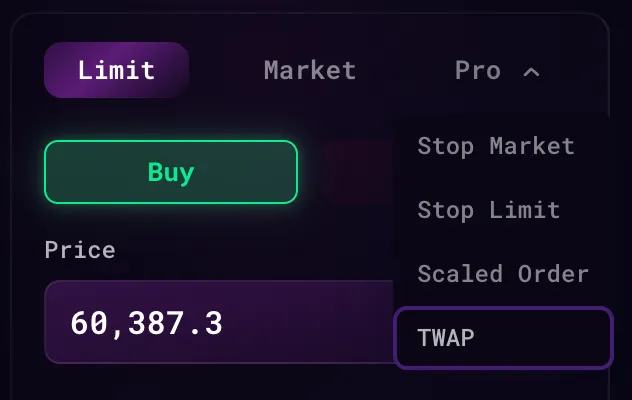
  2. Select “TWAP” under the order types
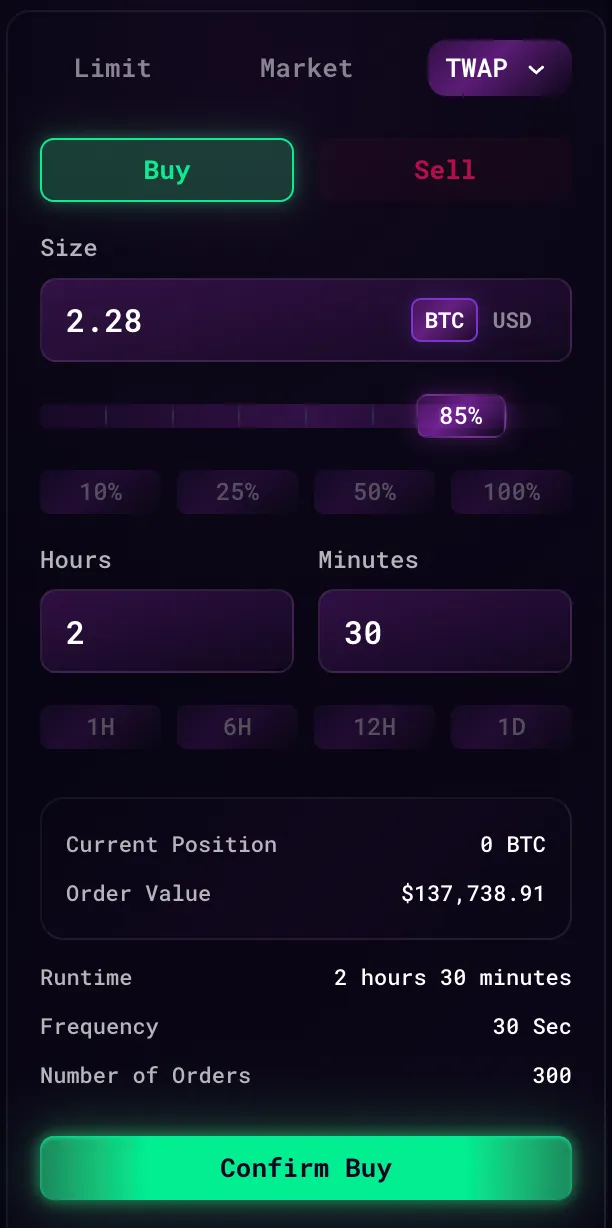
  3. Input the parameters of the TWAP order
    1. Buy / Sell - Trade direction
    2. Size - Total size of the orders to be submitted
    3. Hours and Minutes - Total runtime of the TWAP order

TWAP splits a large order into Market Orders submitted over your specified period of time.

TWAP Order on Mobile
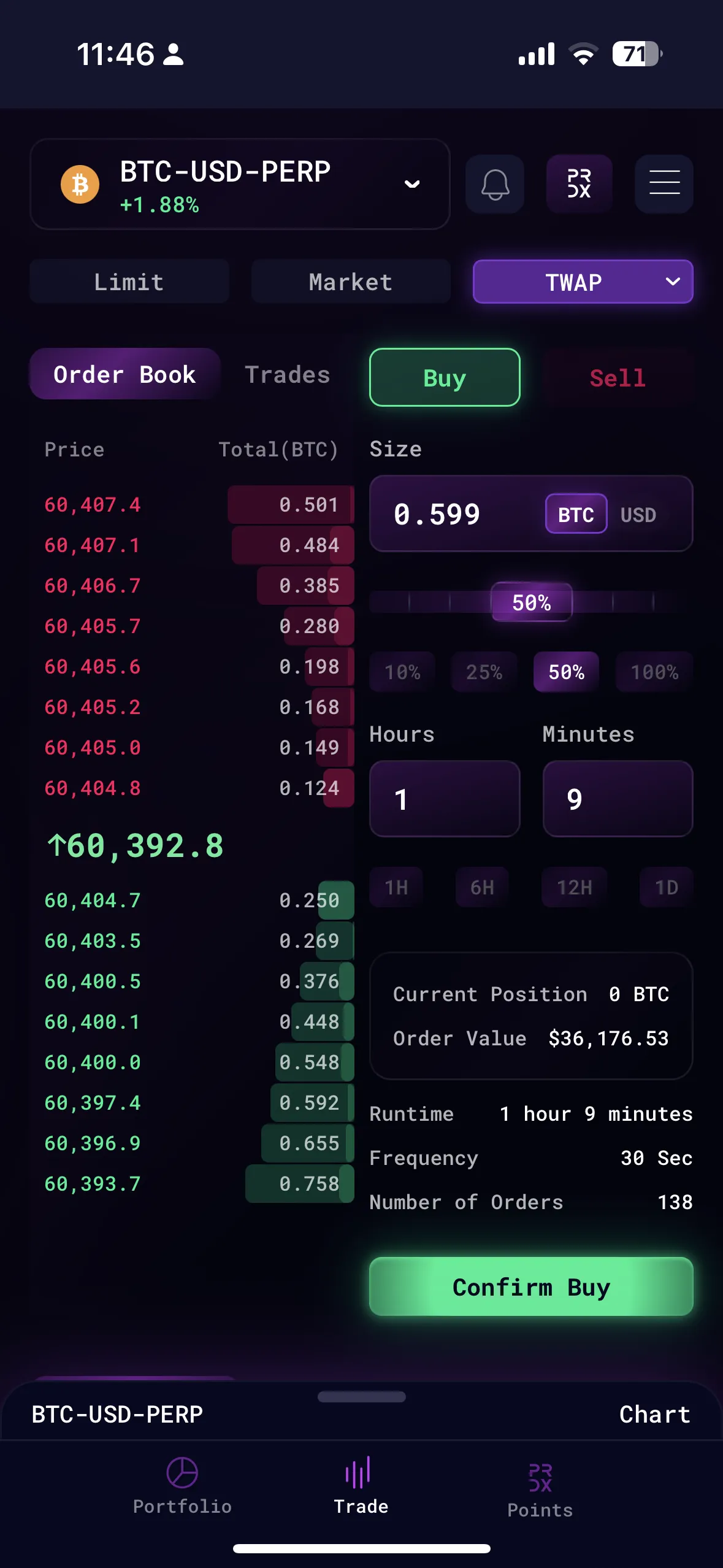
Mobile version: Under 'Pro' dropdown, select 'TWAP' and enter the parameters

TWAP Order on Desktop

Select 'TWAP' from the 'Pro' dropdown
Enter the TWAP Order Parameters
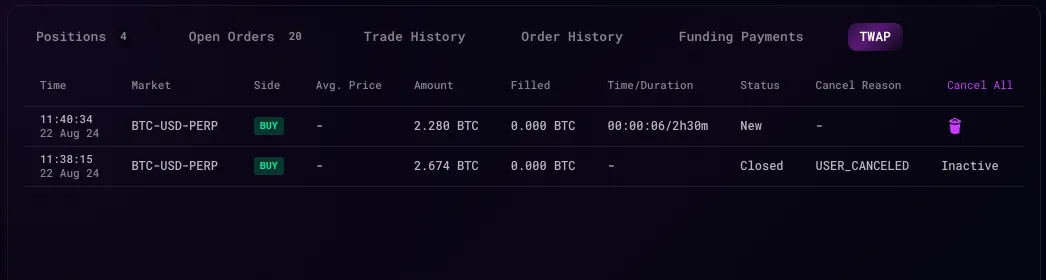
TWAP order submitted will show up on the TWAP tab if successful