For AI agents: a documentation index is available at the root level at /llms.txt and /llms-full.txt. Append /llms.txt to any URL for a page-level index, or .md for the markdown version of any page.
Logo
Join CommunityStart Trading
HomeOverviewDIME UtilityTradingRisk & LiquidationsVTFsParadex ChainEcosystemREST APIWebSocket APIAgentic AI HubRelease Notes
  • Getting Started
    • Overview
    • Privacy Perps
    • Trading Fees
    • Retail vs Pro Orders
    • Retail Price Improvement (RPI)
    • FastFills
    • TradFi Markets
  • Spot Trading
    • Supported Order Types
    • Quoting & Settlement
    • Non-USDC Balances & Collateral
    • Naming Convention
  • Dated Options
    • Overview
    • Expiries and listing schedule
    • Mark price
    • Greeks
    • Margin requirements
    • FAQ
  • Orders
    • Placing Orders
    • Order Instructions
    • VWAP Price Protection for Market Orders
    • Price Impact and Slippage
    • How to Change Max Slippage
    • Margin Calculator
    • Self Trade Prevention
    • Receive Window
  • Instruments Guide
Join CommunityStart Trading
On this page
  • Max Slippage
  • How to Update Max Slippage

Changing Max Slippage for an Order

Was this page helpful?
Edit this page
Previous

Margin Calculator

Next
Built with

Max Slippage

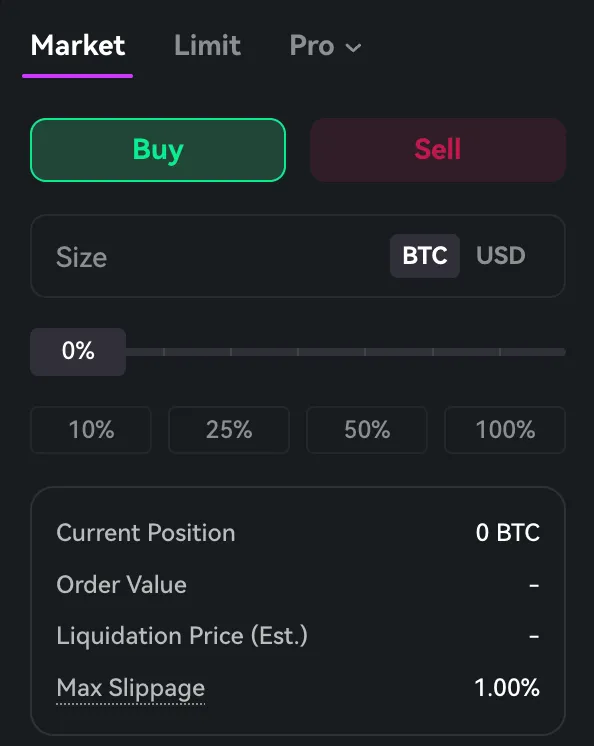
Max slippage defines the largest acceptable price deviation from the best bid/ask price.

If max slippage is not set by the user, default max slippage on market level will apply. Default max slippage values are as below:

InstrumentLeverageMax Slippage
PERP50x0.001
PERP50x > Leverage > 5x0.002
PERP5x0.005
PERP_OPTION-0.5

Both market and account defined slippage configurations are ignored for take profit or stop loss orders.

During execution, an order will be canceled if the price exceeds the slippage limit or falls outside the market Price Bands.


How to Update Max Slippage

  1. Navigate to the Trade section of the UI

  2. Locate the Order section, and click on the Max Slippage value
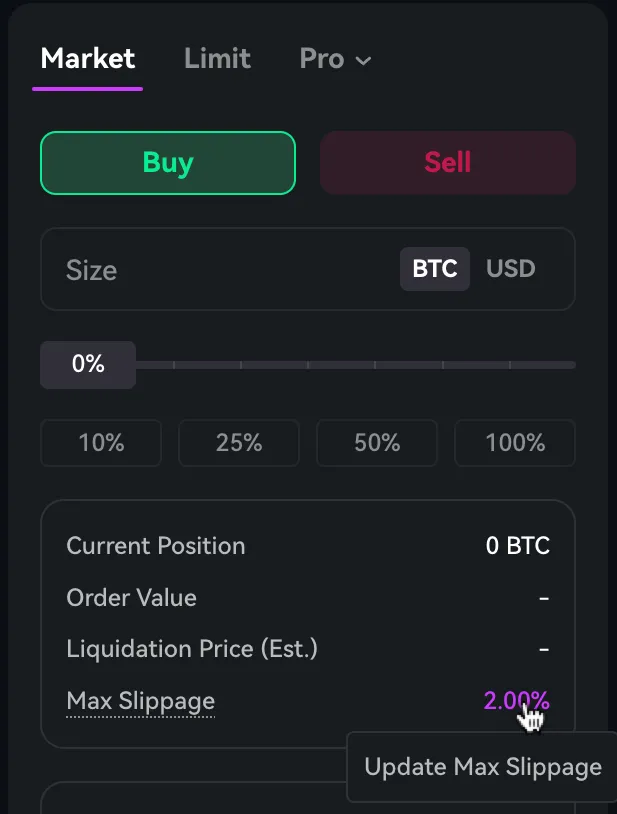
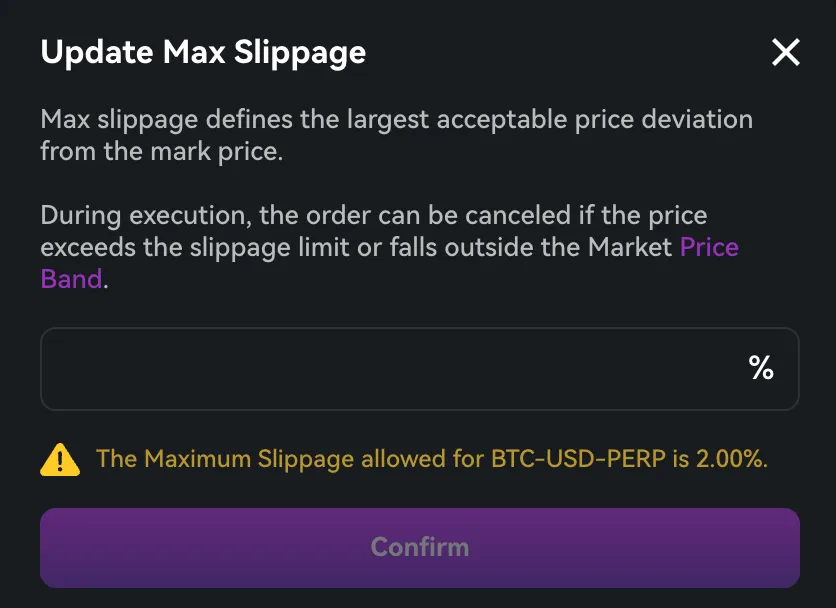
  1. Some markets have max cap of slippage percentage (In this case BTC-USD-PERP has max slippage of 2%)
  1. Adjust the slippage tolerance to your preferred percentage. You can use decimals as well as long as it is within max slippage of each market, example : 0.5% works since it is below 2% for BTC-USD-PERP.
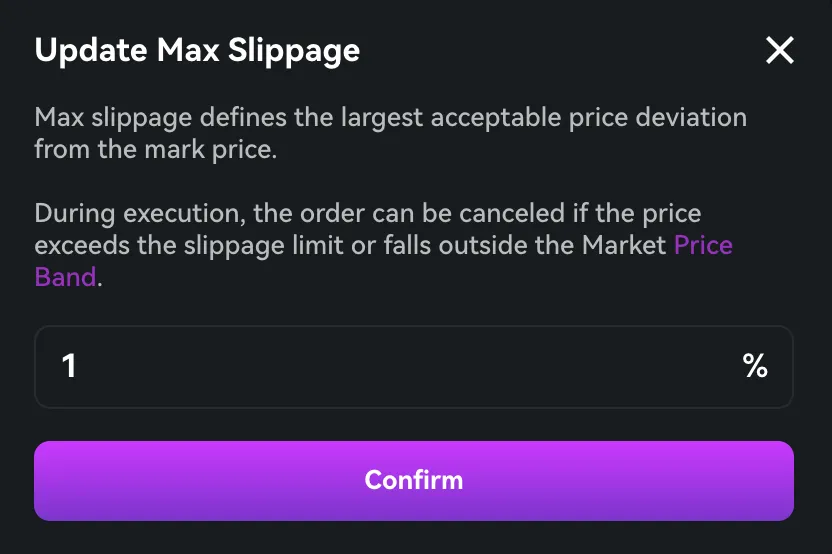
  1. Click confirm to save the slippage setting